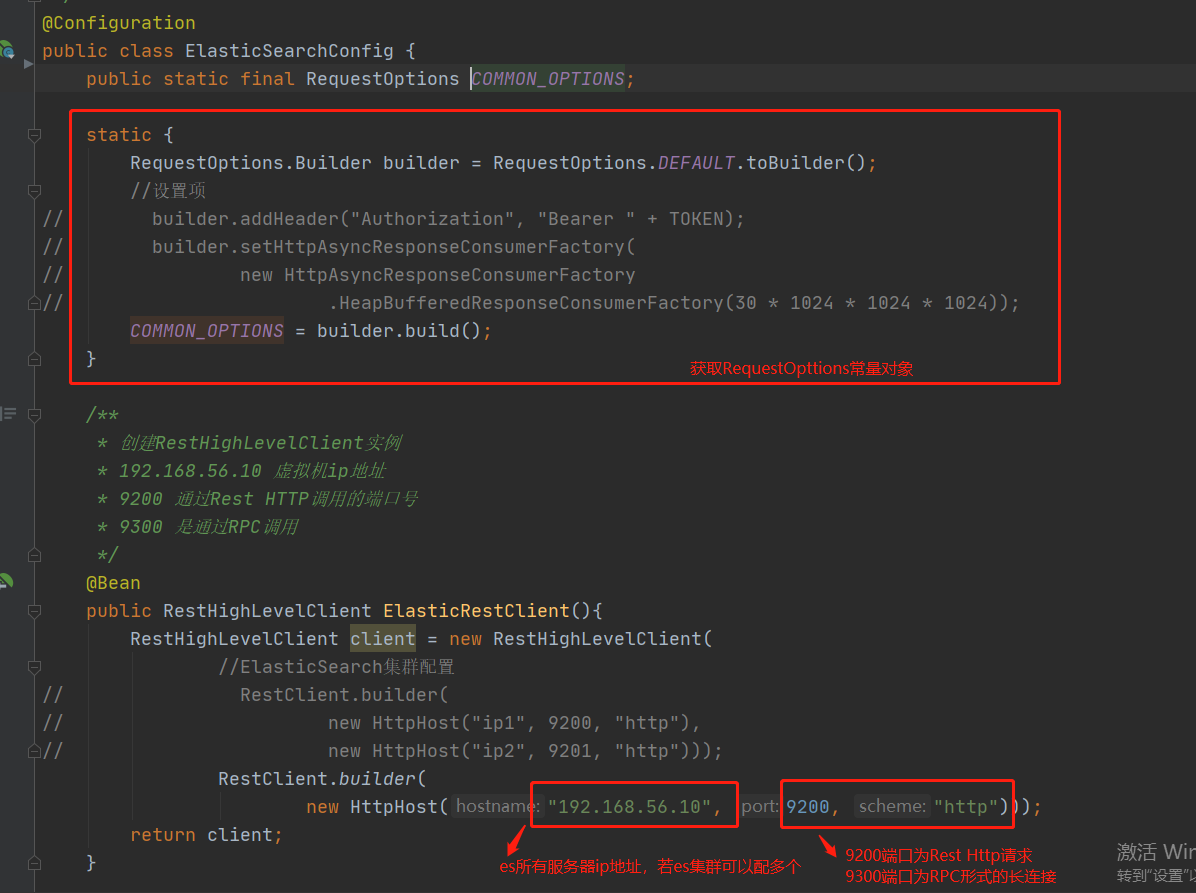
Elasticsearch-Rest-Client:
操作方式1:通过9300端口(TCP形式)
该方式要与ES建立长连接,使用spring-data-elsaticsearch-transport-api.jar
缺点:1.springboot版本不同,transport-api.jar不同,不适配es版本
2.7.x已经不建议使用,8以后就要废弃
操作方式2:通过9200端口(HTTP形式直接发送请求)
发送请求的方式及缺点:
1.JestClient:第三方组件,非官方,更新慢
2.RestTemplate:模拟法HTTP请求,ES很多操作需要自己封装,麻烦
3.HttpClient:同上
4.(推荐使用)Elasticsearch-Rest-Client(elasticsearch-rest-high-level-client)
官方RestClient,封装了ES操作,API层次分明,上手简单。
地址:https://www.elastic.co/guide/en/elasticsearch/client/java-rest/current/java-rest-high.html
操作步骤:
1、pom文件整合elasticsearch-rest-high-level-client(端口号要与服务器中的一致)
<groupId>org.elasticsearch.client</groupId>
<artifactId>elasticsearch-rest-high-level-client</artifactId>
<version>7.4.2</version>
</dependency>
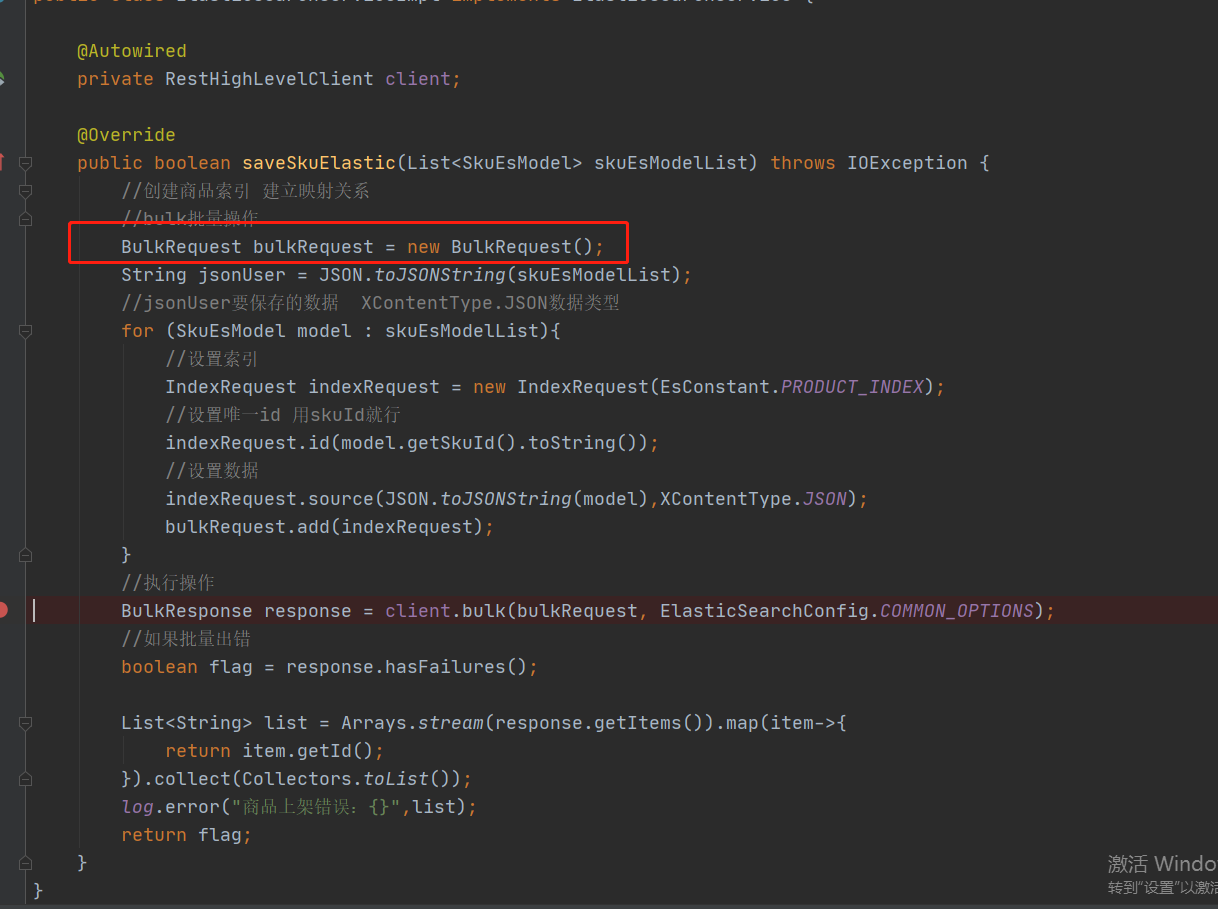
2、批量创建数据