列表页组件1
## 概述:
列表页组件包含筛选条件、新增按钮、表格、分页四部分
## 图例:
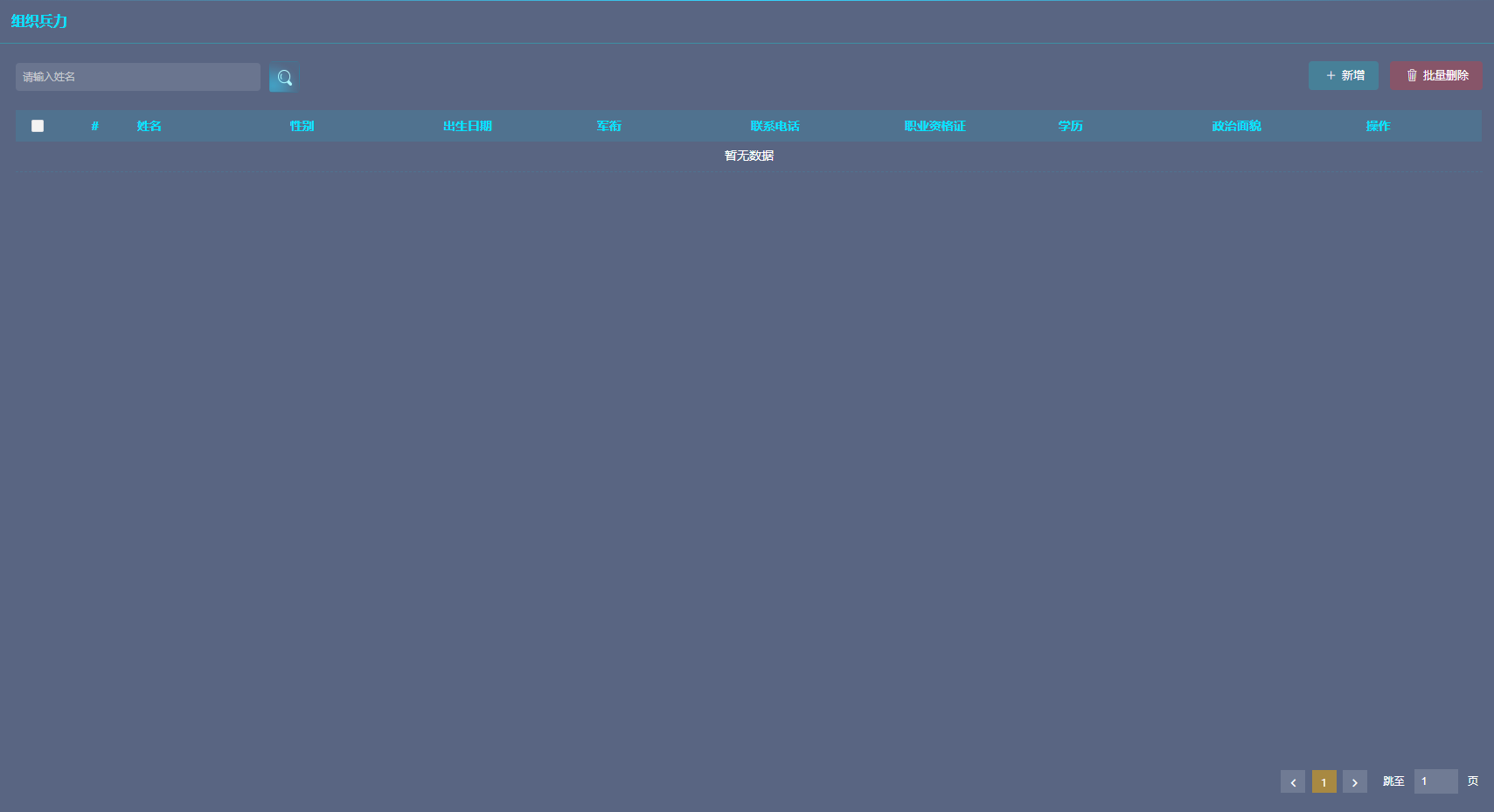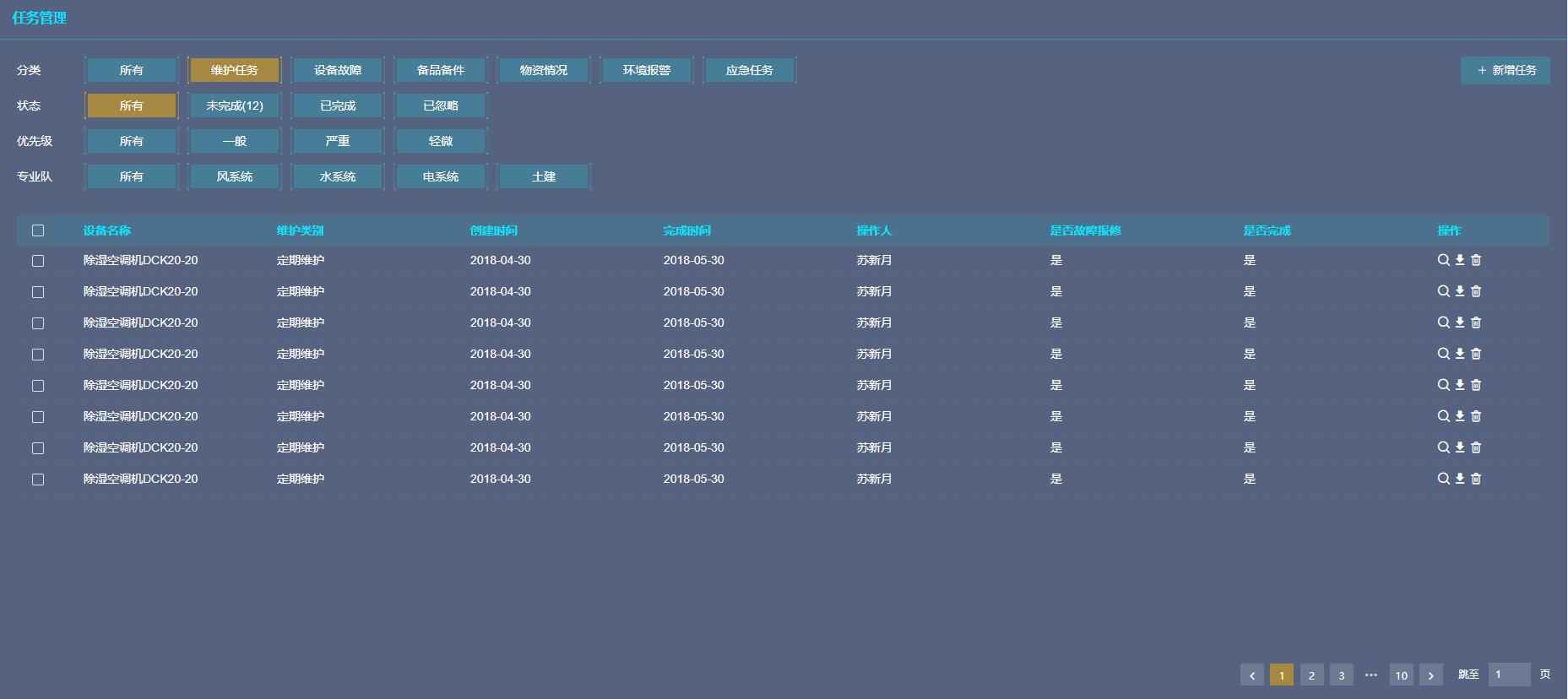
## 使用方法:
cnpm install rview-c --save
◆ 使用组件
```js
<template>
<div>
<ListCom
:list_name="list_name"
:addModal.sync="addModal"
:pageTitle="pageTitle"
:columnsName="columnsName"
:listDate="listDate"
:modalTitle="modalTitle"
:pageTotal="pageTotal"
:TableLoading="TableLoading"
:pageSize="listParam.pageSize"
@on-show-listdata="ShowListData"
@on-handle-selection="HandleSelection"
>
<div class="search_right" slot="operate-buttons">
<Button type="primary" class="add" icon="ios-add">新增</Button>
<Button type="primary" class="delete" icon="ios-trash-outline">批量删除</Button>
</div>
<div class="search_left" slot="shift-conditions">
<Input v-model="formSearch.name" placeholder="请输入姓名" clearable style="width: 280px" />
<Button type="primary"></Button>
</div>
<!-- <UserAdd ref="modalCon" :disabled="disabled" :info="info" :submit="submit" @RefreshParent="RefreshData" slot="modal_con"></UserAdd>、 -->
</ListCom>
</div>
</template>
<script>
// import UserAdd from "./maintenance-task-operate"
export default {
name: 'list_com',
data () {
return {
list_name:"organiz_force",//列表页样式类
addModal: false,//
pageTitle:"组织兵力",
columnsName: [
{
type: 'selection',
width: 60,
},
{
type: "index",
width: 60,
align: "center"
},
{
title: '姓名',
key: 'name'
},
{
title: '性别',
key: 'gender'
},
{
title: '出生日期',
key: 'birthdate'
},
{
title: '军衔',
key: 'militaryRank'
},
{
title: '联系电话',
key: 'phoneNumber'
},
{
title: '职业资格证',
key: 'certificate'
},
{
title: '学历',
key: 'education'
},
{
title: '政治面貌',
key: 'politicalStatus'
},
// {
// title: '描述',
// key: 'description'
// },
{
title: '操作',
key: 'action',
width: 150,
render: (h, params) => {
return h("div", [
h(
"Tooltip",
{
props: {
placement: "bottom",
transfer: true,
content: "查看"
}
},
[
h('i', {
'class': {
'iconfont iconsousuo':true
},
style: {
fontSize: '14px',
color: '#fff',
marginRight:"5px",
},
on: {
click: () => {
this.DetailPage(
params.row.id,
);
this.addModal=true;
this.disabled=true;
}
}
}, ),
]
),
h(
"Tooltip",
{
props: {
placement: "bottom",
transfer: true,
content: "编辑"
}
},
[
h('i', {
'class': {
'iconfont iconbianji':true
},
style: {
fontSize: '14px',
color: '#fff',
marginRight:"5px",
},
on: {
click: () => {
this.DetailPage(
params.row.id,
);
this.submit=false;
this.addModal=true;
this.disabled=false;
}
}
}, ),
]
),
h(
"Tooltip",
{
props: {
placement: "bottom",
transfer: true,
content: "删除"
}
},
[
h('i', {
'class': {
'iconfont iconshanchu1':true
},
style: {
fontSize: '14px',
color: '#fff',
marginRight:"5px",
},
on: {
click: () => {
debugger
this.deleteList=[],
this.deleteList.push(params.row.id)
this.del_modal = true;
}
}
}, ),
]
),
]);
}
}
],//表头
listDate: [],//表数据
modalTitle:"个人信息",
pageTotal:10,//总数据
TableLoading:false,//表单加载
CurrentPage:1,//当前页
formSearch:{
name:"",
},//检索条件
listParam:{
parameter: "",
operators: "",
queryValue: "",
pageSize: 12,
pageIndex: 1,
orderBy: "",
orderByType: ""
},//调用列表接口的传参
}
},
components:{
// UserAdd
},
methods:{
ShowListData(val){
this.listParam.pageIndex=val;
this.pageTotal=this.listDate.length;
this.TableLoading=false;
},
HandleSelection(val){
alert(1)
},
}
}
</script>
<style>
*{
padding: 0;
margin: 0;
}
html,body{
height: 100%;
}
#app {
height: 100%;
}
.maintencance_list .content{
height: e('calc(100% - 188px)');
}
.maintenancetaskmodal .ivu-modal-body{
height: 630px;
}
</style>
```
## API
#### data
|属性|值|描述|
|-|-|-|
|openstatus|this.addModal|当前弹窗状态
|CurrentPage|1|当前页
#### props
|参数|类型|是否必填|描述|
|-|-|-|-|
|list_name|String|否|表单类名|
|addModal|Boolean|否|是否显示弹窗|
|pageTitle|String|否|列表页标题|
|columnsName|Array|否|表头|
|listDate|Array|否|列表数据|
|modalTitle|String|否|弹窗标题|
|pageTotal|Number|否|总数据条数|
|pageSize|Number|否|一页显示多少条数据|
|TableLoading|Boolean|否|表单是否加载|
>d ◆有两个插槽:
左边的筛选条件或是搜索条件:shift-conditions
右边的操作按钮:operate-buttons
#### watch
|方法名|参数|描述|
|-|-|-|
|addModal|无|监听弹窗状态
|openstatus|当前弹窗状态|弹窗状态双向绑定
#### methods
|方法名|参数|描述|
|-|-|-|
|ChangePage|选中的页数|点击分页时调用的方法
|handleSelection|选中的表格数据|批量删除的时列表的选择数据调用的方法