OData V2
1. OData 对 $format和$inlineCount不生效,只支持XML payload
2. 建议直接用https,比这odata方便
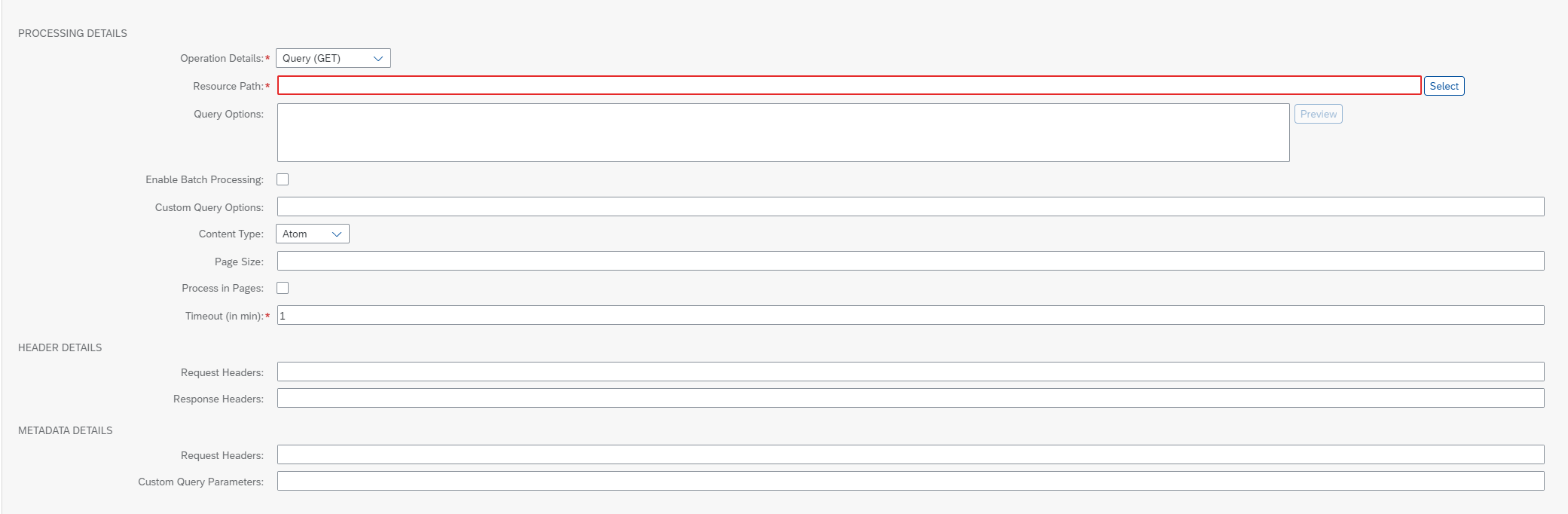
## General
`基本信息,没什么用`
Name:`命名`
Description:`描述`
## Connection
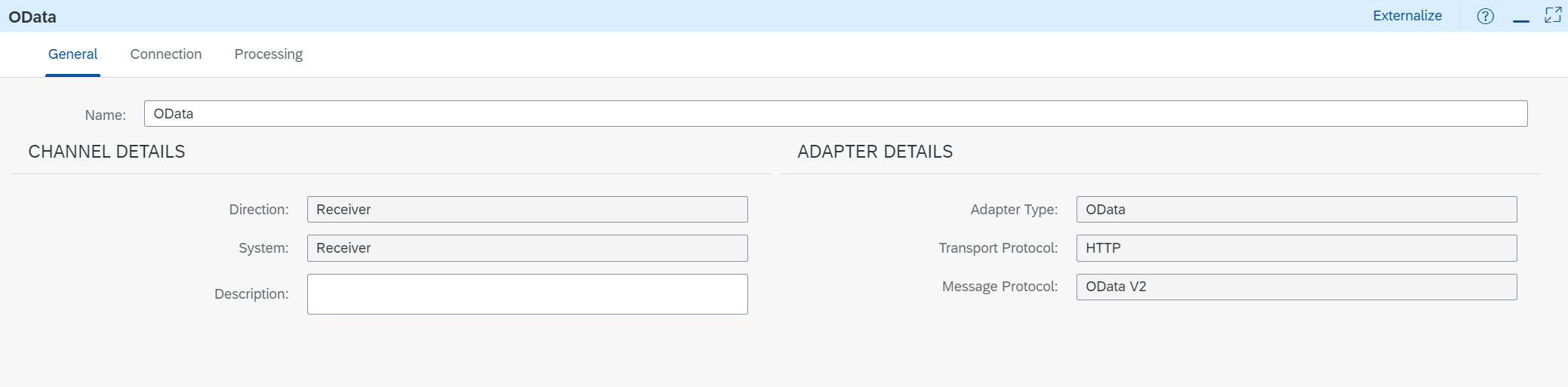
1. Address:`地址,EndPoint URI如https://api15.sapsf.cn/odata/v2/User`
2. Proxy Type:
- Internet:`除ON-Premmise外的所有连接,可以选这个`
- ON-Premmise:`内部部署的服务,仅链接HANA Cloud Integration使用,如果选择此选项,适配器的地址字段将引用虚拟地址,必须在SAP Cloud Connector设置中配置虚拟地址`
- >Location ID:`HANA Cloud Integration地址,选中ON-Premmise才出现`
3. Authentication:
- None:`无账号密码`
- [Basic](https://cos.easydoc.net/71783927/files/kx8xb77a.png):`账号密码认证。配置路径 = Overview->Manage Security Material->Create的UserCredentials`
- >Credential Name:`UserCredentials的name`
- Principal Propagation:`SSO身份认证。仅Proxy type = ON-Premmise,`
- Client Certificate:`仅Proxy type = Internet`
- >Private Key Alias:
- [OAuth2 Client Credentials](https://cos.easydoc.net/71783927/files/kx8wut9t.png):`OAuth2.0的其中一个授权方式。配置路径 = Overview->Manage Security Material->Create的OAuth2 Client Credentials。仅Proxy type = Internet`
- >Credential Name:`OAuth2 Client Credentials的name`
- [OAuth2 SAML Bearer Assertion](https://cos.easydoc.net/71783927/files/kx8x2xfl.png):`OAuth2.0的其中一个授权方式。配置路径 = Overview->Manage Security Material->Create的OAuth2 SAML Bearer Assertion。仅Proxy type = Internet`
- >Credential Name:`OAuth2 SAML Bearer Assertion的name`
4. CSRF Protected:`防止CSRF跨站请求伪造(英语:Cross-site request forgery),他会GET请求目标系统拿到X-CSRF-Token,再用这个X-CSRF-Token给目标系统发送其他消息`
## Processing
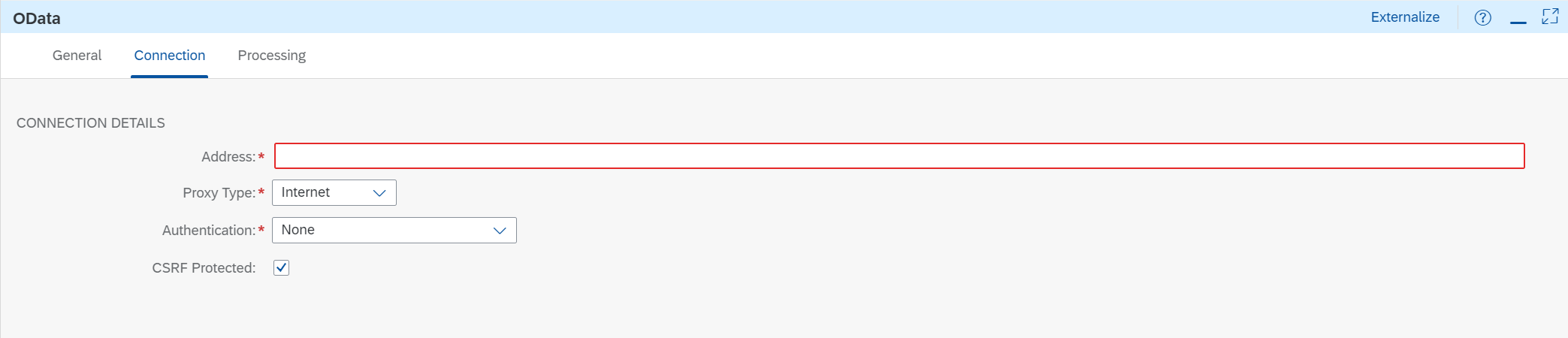
PROCESSING DETAILS
- Operation Details:`GET、POST、PUT、DELETE。。。。`
- Resource Path:`Entity Id 实体,点击select进入Model Operation进行相关配置操作可以生成下面的Query Options`
- Query Options:`条件,如$select、$filter、$top、$skip等等。。。
`
- Enable Batch Processing:`允许批处理,没研究出来怎么用`
- Custom Query Options:`自定义查询,Model Operation里面没有的Query Options,可以放这里,例如&$filter=userId in '123','456'`
- Content Type:`控制发送到OData V2内容格式,具体怎么用我也没试出来。题外话:OData支持atom和json两种格式,atom是基于XML的内容聚合规范,类似于RSS,用于聚合经常发布更新的网址比如新闻、微博等,按照这种格式可以更快速高效的提炼出重要信息。sf的metadata也是基于atom的,json是更方便让人理解,所以接口会有这两个类型的数据`
- Atom:`把XML payload转换为Atom XML格式`
- JSON:`把XML payload转换为JOSN格式`
- Content Type Encoding:`None、UTF-8。发送OData API的内容的数据编码`
- Timeout (in min):`请求超时时间,默认1分钟`
HEADER DETAILS
- Request Headers:`请求头,用|隔开,没搞懂怎么用的`
- Response Headers:`没搞懂怎么用的`
METADATA DETAILS
- Request Headers:`没搞懂怎么用的`
- Custom Query Parameters:`没搞懂怎么用的`